

Refunds
In order to receive your financial aid refund, you must have financial aid awards posted in MyMCC and have accepted your awards. If you are a first-time loan borrower or have not received loans from MCC before, you must also complete the Master Promissory Note and loan entrance counseling at studentaid.gov before your loan money can be disbursed. You must also have turned in all documents requested by the Financial Aid office.
Your refund amount will be the remaining balance of your financial aid award after tuition, fees and books have been paid. Your financial aid will be placed in your account 10 days before classes begin. Until then, your tuition and fees will show as unpaid on MyMCC.
Getting Your Books
You don't have to wait for your refund to get your books. You can charge books and supplies toward your financial aid in the bookstore 10 days before classes start by showing them your student ID or driver's license. (Please note: It can take up to 48 hours from the time you accept your awards for your financial aid to show up in the bookstore's system.)
How Refunds Work
Your financial aid is ready to be used to pay your tuition and fees if you have met the following requirements:
- Your financial aid is showing in MyMCC in your award letter.
- You have accepted your grants and/or loans.
- You have completed loan entrance counseling and a Master Promissory Note at studentloans.gov (for first-time loan borrowers or if it has been more than five years since you have completed these).
- You have turned in all documents requested by the Financial Aid office.
- You are meeting the college's Satisfactory Academic Progress criteria (calculated at the end of each semester and Summer II term).
Refund Options
Select Your Refund Preference: Approximately 24-48 hours after receiving your MCC Student ID Card from the business office you will receive an email from BankMobile Disbursements, BM Technologies, to the email address on file.
*If you don't see the email in your MCC student account, check any personal email(s) you may have used.
Two Electronic Options Are Available: You can choose to transfer your funds to an existing account, or deposit to a BankMobile Checking Account.
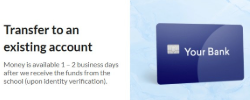
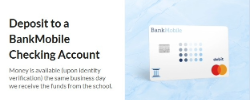
*If a refund preference is not selected, it may take up to 21 days for you to receive your money.
You Can Also Select A Refund Preference Online:
Refund Dates
Refunds will be disbursed with BankMobile Disbursements to your selected refund preference. You can find the dates by term on the MCC Calendar.
If you are borrowing a loan for a single semester, your disbursement will be divided into two equal payments. The first disbursement will be on the first disbursement date of the semester, and the second will occur at the mid-point of the semester.
If you are receiving loans for both summer terms, you will get half of your loan refund at the beginning of Summer I and half at the beginning of Summer II.